A Simu roller shutter that no longer responds to its remote control often follows the same scenario: we change the batteries, press harder, and nothing moves. Before ordering new equipment or calling a technician, resetting the remote control (and sometimes the motor) resolves most of these blockages. However, it is essential to follow the correct procedure, tailored to the type of radio motorization installed.
Diagnosis before resetting: check that the Simu remote control is indeed the issue
In a radio roller shutter installation, the problem can originate from three distinct places: the remote control, the receiver integrated into the motor, or the motor’s electrical supply itself. Resetting a remote control that is functioning correctly will not resolve anything if the failure lies elsewhere.
We start with a simple test: position yourself within one meter of the shutter box and press the control button. If the motor still does not respond, we attempt a power cut to the motor for a few seconds, then try again. This test helps eliminate a radio range issue or a temporary bug in the receiver.
If a wired wall switch is present in the installation, we use it to check that the motor is still operational. A motor that does not respond to either the remote control or the wall switch indicates a motor failure or a power supply issue, not a remote control defect. Knowing how to reset a Simu remote control only makes sense once this quick diagnosis has been performed.
- New batteries inserted correctly (check polarity, a classic issue)
- Test in immediate proximity to the box to rule out a range problem
- Test with the wall switch if it exists, to isolate the source of the failure
- Power cut then restoration to the motor to reset the radio receiver
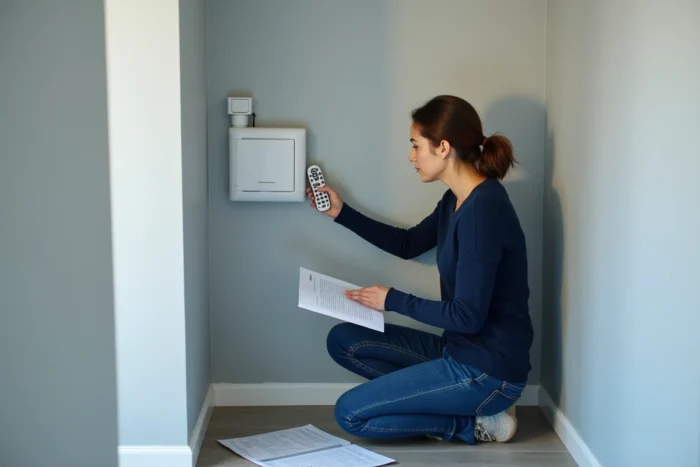
Resetting Simu remote control and motor: the double power cut on HZ and EHZ motors
The most common Simu radio motors in domestic installations use the HZ or EHZ protocol. The reset procedure relies on a double power cut to the motor, followed by an action on the remote control. The principle is to clear the motor’s memory so that it accepts a new pairing.
Procedure for clearing the Simu motor memory
We cut the electrical supply to the affected motor, wait a few seconds, then restore it. We repeat this cut a second time. After the second power restoration, the motor enters learning mode, indicated by a brief movement of the shutter (a back-and-forth motion).
This confirmation movement is the expected signal. If it does not occur, the timing between the two cuts was probably not correct. Feedback on this point varies according to motor generations, but an interval of two to three seconds between each cut and restoration works in most cases.
Pairing the remote control after reset
Once the motor is in learning mode, we press the programming button on the remote control (often a small button on the back, accessible with a paperclip or a fine point). The shutter performs a new back-and-forth movement to confirm that the remote control is registered.
Next, we configure the rotation direction: press the up button. If the shutter descends instead of ascending, we reverse it by pressing both the up and down buttons simultaneously for a few seconds until a new confirmation movement occurs.
Trap of multi-shutter Simu installations: do not erase everything
In an installation with multiple Simu roller shutters controlled by radio, the double power cut must be performed only on the motor of the affected shutter. Cutting the main circuit breaker erases the memory of all radio motors on the circuit, requiring each remote control to be reprogrammed for each shutter.
In practice, this means identifying the electrical circuit that powers the faulty motor. On a well-labeled electrical panel, this is quick. On an older installation without labeling, we proceed by elimination, cutting one circuit breaker at a time and checking which shutter stops.
This precaution, consistently emphasized for Somfy RTS motorizations, is equally valid for Simu HZ and EHZ motors. Specific Simu guides rarely mention it explicitly, leading to unnecessary reprogramming on complete installations.
Adjusting the limit switches after resetting the Simu roller shutter
After a complete memory clearing, the upper and lower limit switches are erased. The shutter no longer knows where to stop. Without this adjustment, it risks forcing against the stop or stopping too early.
We proceed in this order:
- Press the up button and let the shutter rise to the desired position, then press the programming button to validate the upper limit switch
- Press the down button and let the shutter descend to the closed position, then validate the lower limit switch in the same way
- Test a complete up-down cycle to ensure that the shutter stops correctly at both ends
If the shutter exceeds the desired position during adjustment, we correct it by bringing it back to the correct position with the directional buttons before validating. An approximate adjustment of the limit switches leads to premature wear of the slats and the rolling mechanism.
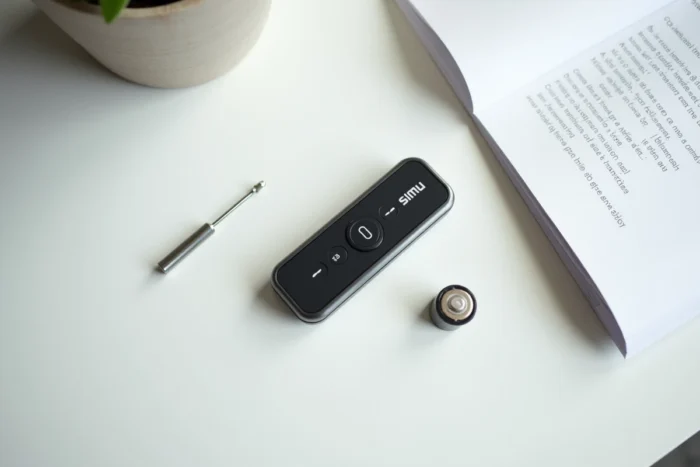
Simu wall transmitter or portable remote control: two distinct programming modes
Simu wall transmitters (wireless switches fixed to the wall) and portable remote controls follow the same reset logic, but the programming button is not in the same location. On a wall transmitter, it is usually located behind the removable cover. On a portable remote control, it is accessible on the back of the casing.
The procedure on the motor side remains the same regardless of the type of transmitter used. Only the physical manipulation of the transmitter changes. When replacing a portable remote control with a wall transmitter (or vice versa), it is necessary to first clear the motor’s memory and then re-register the new transmitter; otherwise, the motor will remain associated with the old device.
One last point to remember: after any successful reset, note the electrical circuit concerned and the channel used on the remote control. In an installation with multiple shutters, this traceability prevents having to redo the complete diagnosis the next time a shutter is unresponsive.